I’ve been using Claude Code pretty often since it started being included in the Claude Pro plan back in June 2025. With this plan, you pay a fixed amount (currently $20/month) and get a limited amount of usage with various Claude products. With Claude Code, the way usage limits work is twofold: you get a 5-hour “session” window with a smaller limit, and a 7-day “weekly” window with a larger limit1.
To check your usage limits, you can run the /usage slash command from within the Claude Code CLI tool, which brings up a menu that looks like this:
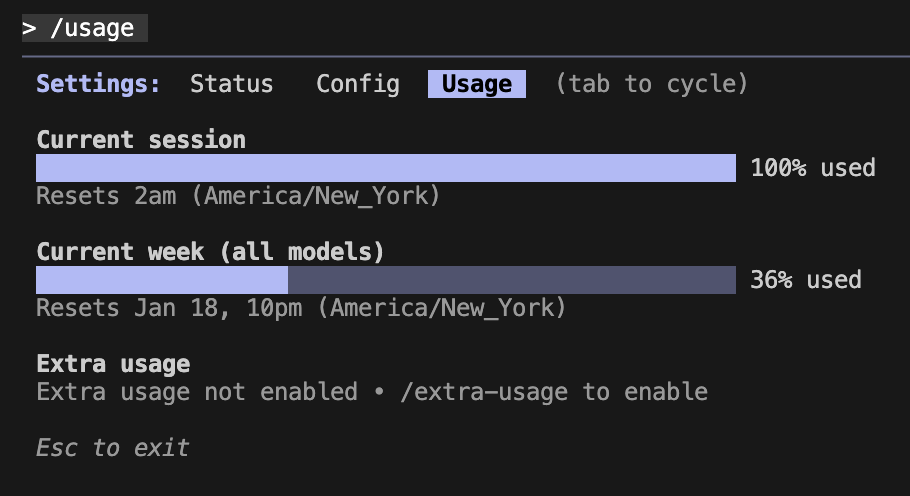
One major drawback is that this slash command can’t be used while the Claude agent loop is running and doing things. This has been a big frustration for me, as it really interrupts my flow of work to have to remember to check this only in the intervals where Claude is not actively doing something.
This is especially true when a task has been running for a while: I want to check to see how much usage this task is burning to determine if I should /compact or /clear the context and start over. This situation happens semi-frequently, like when Claude goes down a rabbit hole investigating something tricky but gets over-focused on a dead end.
I often find myself opening a new terminal just to start a separate Claude Code session and run /usage to see where I’m at, but this is really annoying to have to do all the time.
Quickly Checking Quota Usage
Initially, I looked into some popular tools such as ccusage, which describes itself as:
Analyze your Claude Code token usage and costs from local JSONL files — incredibly fast and informative!
While token usage is nice to know, I’m using a subscription plan and not the PAYG API model, so that doesn’t help me that much. While the tool does have a “5-Hour Blocks Report” feature, it seems like the estimated limits are just based on the local log files and some heuristics on total tokens & API usage cost.
There are a couple of relevant issues on Github about inaccuracies with these projections. Since Anthropic has never officially released the magic formula they use for subscription quota usage, the best we can do with this JSONL file approach is guess how much usage is remaining.
That wasn’t really good enough for me, and plus I knew there must be a better way. After all, the Claude Code tool itself can tell you your exact quota remaining, so we should be able to just reuse that for ourselves. I decided to try automating the built-in /usage slash command directly to get my usage data.
Using Expect
DISCLAIMER: After I implemented this, I noticed that using this script would occasionally increase my reportedly used quota by 1% even without any other Claude usage since last run. I’m not totally sure if this is just some delayed counting or if it’s really using quota, but some others on Reddit have reported that starting up a new Claude Code session burns some tokens for some sort of “warm start” feature.
The Claude Code CLI2 is built with a JavaScript framework called Ink, which uses React to handle the UI. Unfortunately, this tool doesn’t have any sort of claude --usage flag support; the only way to get your usage is to launch Claude Code and then run the /usage slash command.
There’s this handy unix utility called expect that’s designed to help script/automate interactive applications like this. It allows you to easily wait for certain output, send an input to the program, and so on. Automating the Claude Code tool this way is relatively simple.
#!/usr/bin/env expect -f
set timeout 10

# Show the output to the user
log_user 1

# Start Claude Code in interactive mode
spawn claude

# Wait for the prompt ready signal
expect {
    timeout { puts "\nTimeout waiting for Claude Code to start"; exit 1 }
    -re "\\?1004h" { }
}
This doesn’t do much other than configure the timeout and output settings, and then starting a new Claude Code instance. The neat thing is this expect block, which uses a regular expression -re to wait for the ANSI 1004h escape code (which is an “enable focus events” command) that Claude emits when it’s ready.
Next is to send our /usage slash command.
# Give it a moment to be fully ready
sleep 0.3

# Type /usage
send -- "/usage"
Initially I tried to just send /usage \r, but this just appeared in the Claude Code CLI input field as the text of the slash command with a newline after it, as if I had hit Shift+Enter instead of actually submitting the text.
--------------------------
| /usage                 |
|                        |
--------------------------
After some debugging, it seems like this is because typing /usage causes this autocomplete window to appear, and hitting enter was possibly just selecting the entry from the autocomplete menu instead of actually submitting the command.

Instead, I found hitting escape closes this autocomplete menu, after which we can actually submit the slash command and get it to run.
# Wait for the autocomplete menu to appear
expect {
    timeout { puts "\nNo autocomplete menu appeared"; }
    -re "/usage.*Show plan usage limits" { }
}

# Dismiss the autocomplete by pressing Escape
send -- "\033"

# Small delay
sleep 0.1

# Now send enter
send -- "\r"
Now our /usage slash command is sent! We just have to wait for everything to load, and then we can exit.
# Wait for the actual usage data to be displayed (not just "Loading")
expect {
    timeout { puts "\nTimeout waiting for session usage data"; exit 1 }
    -re "Current session.*used.*Resets" { }
}

# Then wait for week data AND reset time to fully load
expect {
    timeout { puts "\nTimeout waiting for week usage data"; exit 1 }
    -re "Current week.*(Jan|Feb|Mar|Apr|May|Jun|Jul|Aug|Sep|Oct|Nov|Dec)" { }
}

# The script will exit and kill the claude process automatically
exit 0
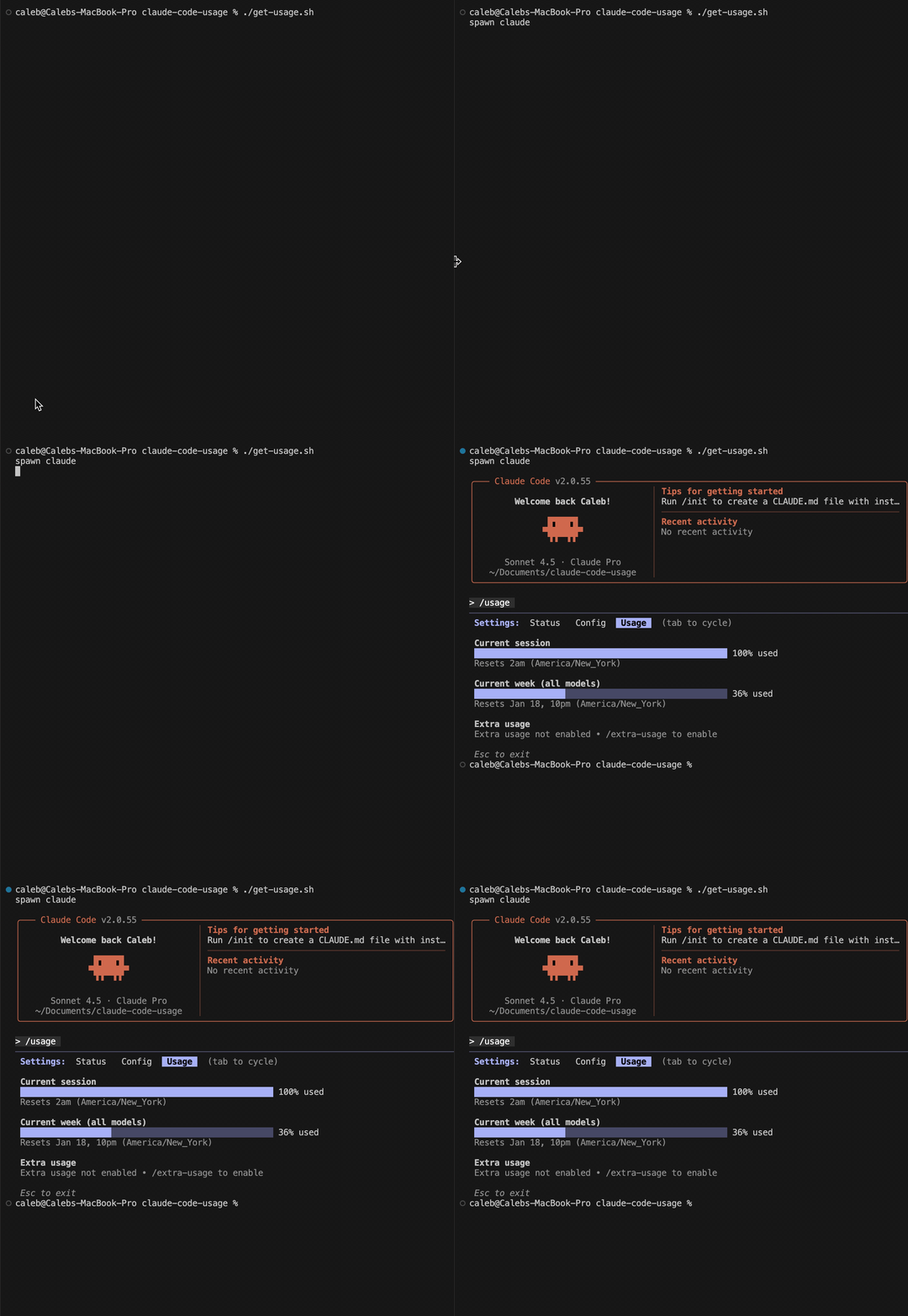
Running it, you get to see the usage report immediately - rather than manually starting Claude Code, waiting for it to load, and sending the slash command yourself.
-
Well, TUI really, but the main script is called
cli.js(return)